GPT Image 2.5 Sunburst is live on Skiprr
OpenAI's new image series comes in two tiers, and Sunburst is the capable one. It is built for the edit where one thing changes and everything else has to stay exactly where it was. It is in the model picker on every Skiprr image production today.
OpenAI released GPT Image 2.5 as two models rather than one. Sunburst is the detailed tier, tuned for work where editing precision matters most. Flare, its faster sibling, has its own announcement. Both are in the image model picker now, with no keys, no separate account, and the same credits as everything else in your workspace.
The reason to reach for Sunburst is a specific and familiar failure. You have an image that is nearly right, you ask for one change, and the model hands back a different image that happens to include your change. The label has been redrawn, the shadow has moved, the product is a cousin of the one you approved. Sunburst is built to make the change and leave the rest alone.
One instruction, one difference
We tested it the way a client would use it. First a product shot from a plain prompt. Then the first image went back in as a reference with a single instruction: change the glass, keep everything else.
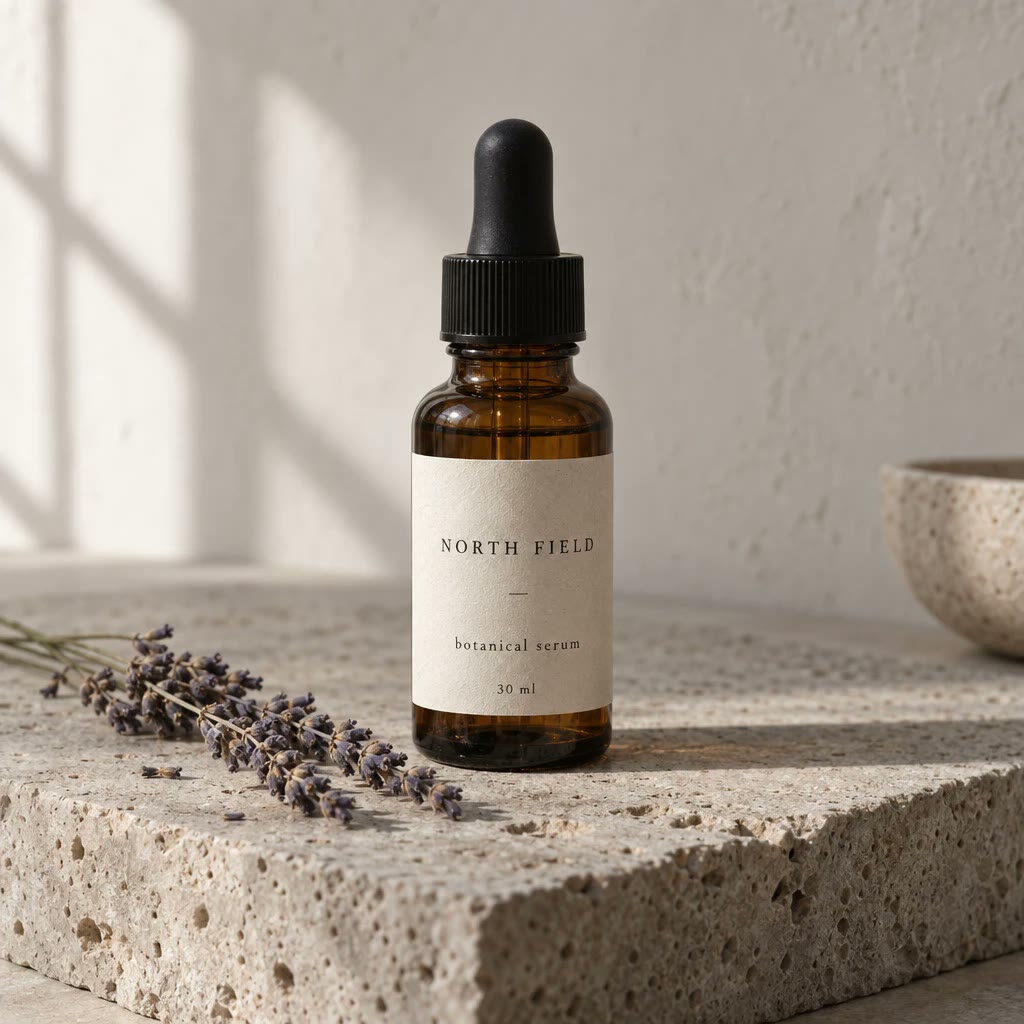
promptA studio product photograph of an amber glass serum bottle with a black dropper cap, standing on a slab of rough grey travertine. The label is cream paper with the words "NORTH FIELD" in small black serif capitals and "botanical serum 30 ml" beneath in lowercase. Soft window light from the left, a long soft shadow, a sprig of dried lavender lying beside the bottle, pale plaster wall behind. Shot on a 90mm lens, shallow depth of field.
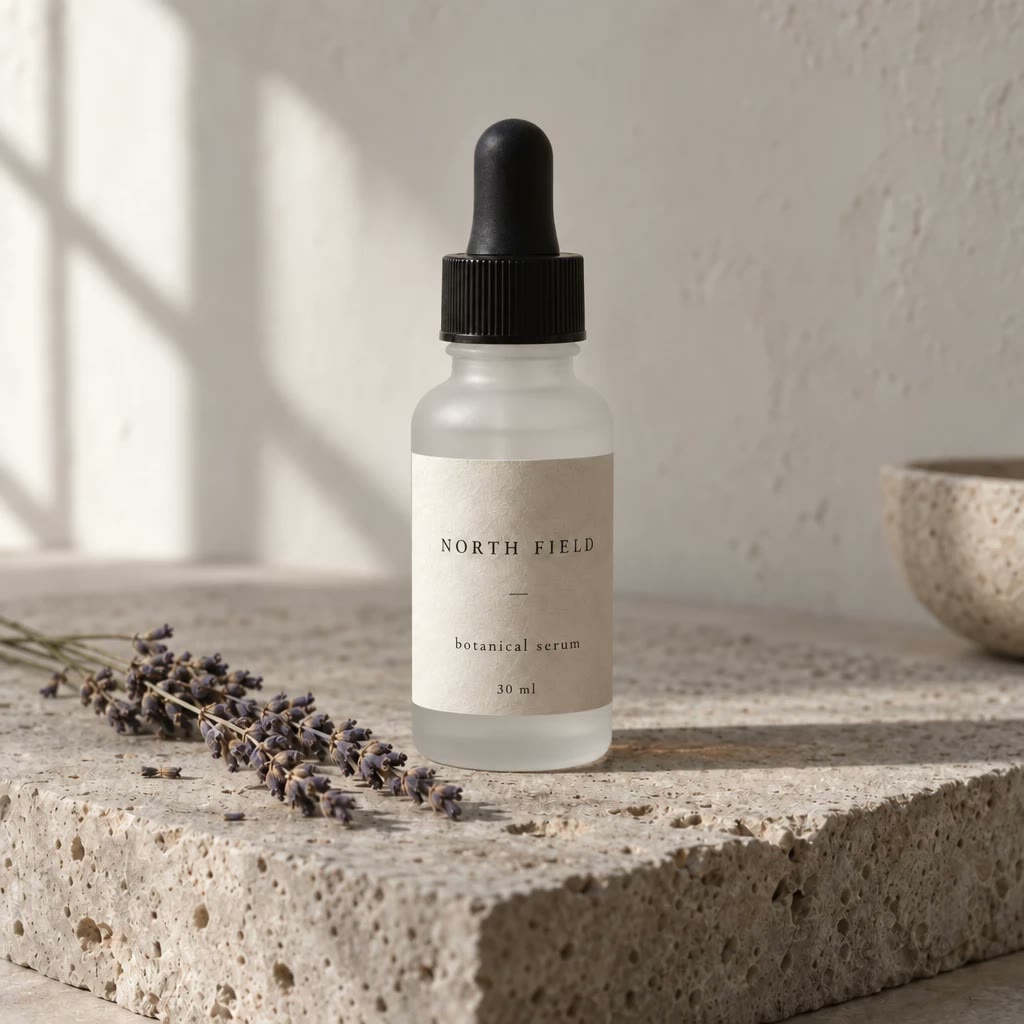
edit instructionChange only the bottle glass from amber to frosted white. Keep the label and every word on it, the dropper cap, the lavender, the stone, the wall, the lighting, the shadow and the framing exactly as they are.
Put the two side by side and look at what did not move. The lettering on the label is the same lettering, not a fresh attempt at it. The lavender lies where it lay. The window shadow on the wall keeps its shape, and the bowl at the edge of the frame is still half out of shot. The glass changed, and the light through it changed with it, which is the part a cut and paste could never have done.
What else it is good at
Small text holds. The label above carries three lines at three sizes and all of it is legible, which matters for packaging, menus, interface mockups and anything else where the words are the point. Put the exact copy in double quotes and describe the typography, and it is set as written.
Several reference images can go in at once, so a person can be placed in a new scene with their likeness intact, or a product can be dropped into a room without the camera angle drifting. Character sheets stay consistent across a run of images.
How to run it in Skiprr
Pick GPT Image 2.5 Sunburst in the model picker on an image production. To edit, attach the image and say what changes. Then say what must not change, because that half of the instruction does most of the work. For a new image, write it the way a photographer would brief it: lens, light, framing.
There are six quality settings, from low to max, and the credits follow the setting closely. Skiprr starts you on high. Drop to low or medium while you are still deciding what the image is, and keep max for the final asset that is going to print or a billboard. Your brand brain still runs the show, so references, voice and guardrails carry into every generation.